
How to Make a WiFi QR Code for Guests
A WiFi QR code lets visitors join a wireless network without manually typing a long password. It is convenient for homes, cafés, reception areas, rentals, salons, and offices, but convenience should be paired with sensible network security.
Use a Separate Guest Network
The safest setup is usually a guest network that is isolated from business computers, storage devices, printers, and smart-home controls. Give it a distinct name and a strong password. Change the credentials when staff or guest access needs to be revoked.
Information You Need
- The exact network name or SSID, including capitalization.
- The correct security type, such as WPA/WPA2.
- The current network password.
- Whether the network name is hidden.
Generate and Test the Code
Enter the credentials carefully. Print a small proof and scan it with both an iPhone and an Android device if available. Confirm that the phone proposes the correct network and connects successfully.
Placement Ideas
- Reception desk
- Guest room information card
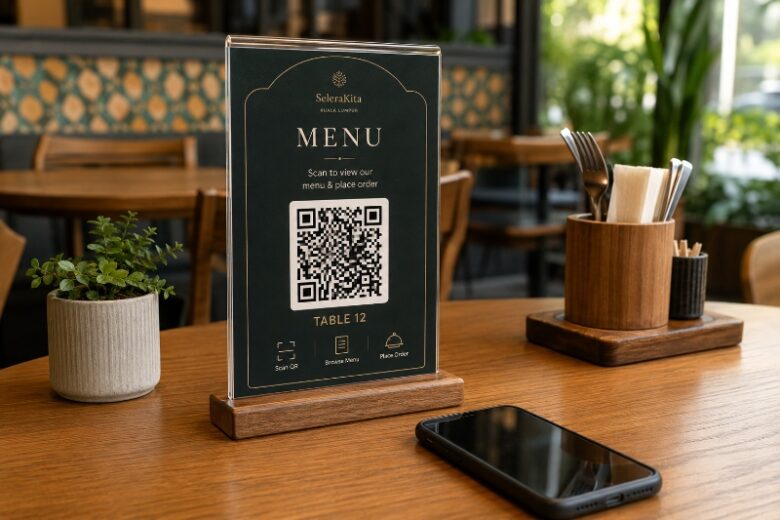
- Café counter or table tent
- Conference room
- Rental property welcome folder
- Waiting area
Protect the Printed Card
Do not place the code where anyone outside the intended space can photograph it. For short-term events, remove the sign afterward or rotate the guest password. For public venues, review connected devices and bandwidth policies.
Troubleshooting
If the code is recognized but connection fails, check spelling, security type, password, hidden-network setting, and signal strength. A phone may also remember old credentials, so forgetting the network and trying again can help.
Home vs Business Setup
| Environment | Recommended approach | Why |
|---|---|---|
| Home | Guest network for visitors | Protects personal devices |
| Small office | Isolated guest SSID | Separates visitors from internal systems |
| Café | Managed public network | Supports many users and policy controls |
| Rental | Dedicated guest credentials | Simplifies turnover and access changes |
Frequently Asked Questions
Does a WiFi QR code reveal the password?
The credentials are encoded in the symbol and can be extracted by someone who scans it, so treat the printed code like sharing the password.
Will it work on all phones?
Most recent phones support WiFi QR codes, but compatibility can vary with older devices and network settings.
Should I use my main router network?
A separate guest network is usually safer.
What happens after I change the password?
The old printed code stops connecting and a new one must be generated.
Can I hide the SSID?
Yes, if the generator supports the hidden-network setting and the phone handles it correctly.
Create Your QR Code with EasyTools
Ready to put this guide into practice? Use the EasyTools QR Code tools to create a clean, scannable code for WiFi QR code. Check the destination carefully, test the code on more than one phone, and download the format that best matches your digital or print project.